Class Schedule Maker
Plan recurring weekly lessons with a class schedule maker desktop app for Windows. It's built for teachers, tutors, and structured learners. No login. No subscription. Works offline after activation.
Why Should teachers and tutors choose this weekly teaching planner?
Build your weekly schedule fast
Create a clear recurring weekly schedule without fighting schedule maker template, spreadsheets, browser tabs, or cluttered calendar tools.
No login or account required
Start using this teacher scheduling software without creating an account, remembering passwords, or dealing with cloud setup.
Works offline after activation
Use ScheduleMaker without depending on internet access. Your schedule stays available when you need it.
Your data stays on your PC
Schedule data is stored locally on your computer, giving you more privacy and control.
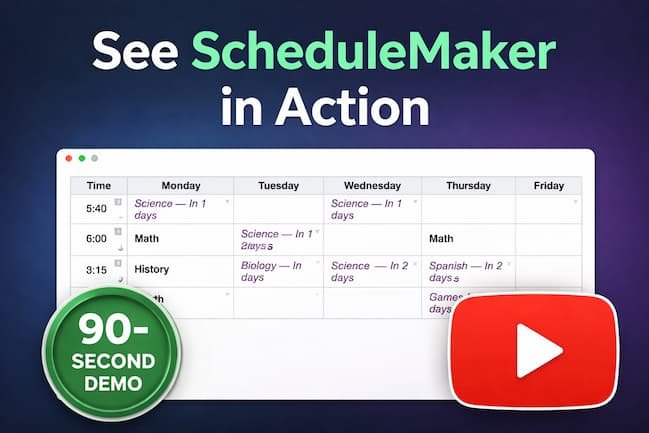
See ScheduleMaker in Action
Watch how ScheduleMaker helps teachers and tutors build a clear weekly teaching schedule on Windows.
How it works
1. Download the free version
Try ScheduleMaker on Windows and see how it fits your weekly teaching workflow.
2. Create your weekly schedule
Add recurring time slots, organize lessons, and view your week in a simple visual layout.
3. Upgrade when you need more
Move to Pro when you want unlimited time slots, import/export, and the full feature set.
Start free, upgrade only if you need more
ScheduleMaker gives you a low-friction way to try the app before buying Pro.
Free Version
A simple way to test ScheduleMaker and build your first weekly schedule.
Includes:
- Up to 6 time slots
- Export backup
- Offline use after activation
Pro Version
Best for teachers and tutors managing a full recurring weekly schedule.
Includes:
- Unlimited time slots
- Import + export
- Advanced features
- One-time purchase
Helpful Scheduling Guides
- Weekly Class Schedule Generator (No Login Required)
- Best Class Schedule Maker for Teachers
- Schedule Template vs Schedule Generator
- Offline Class Weekly Schedule Maker For Teachers desktop
- Schedule Multiple Students Without Conflicts
- Planning Weekly Lessons Without A Calendar App
- Digital Lesson Planner For Teachers
Want the full guide?
If you’re comparing options or searching for a class weekly schedule maker for teachers and tutors,
read the full guide explaining how ScheduleMaker helps with recurring weekly lesson planning.