Weekly Schedule Maker for Teachers
- Built for Teachers
- Offline Class Weekly Schedule Maker
- Designed for Recurring Weekly Lessons
- One-Time Purchase — No Recurring Costs
- A Clean Weekly Structure
- Local Data Ownership
- Free Version vs Pro Version
- Simple Activation — No Accounts Required
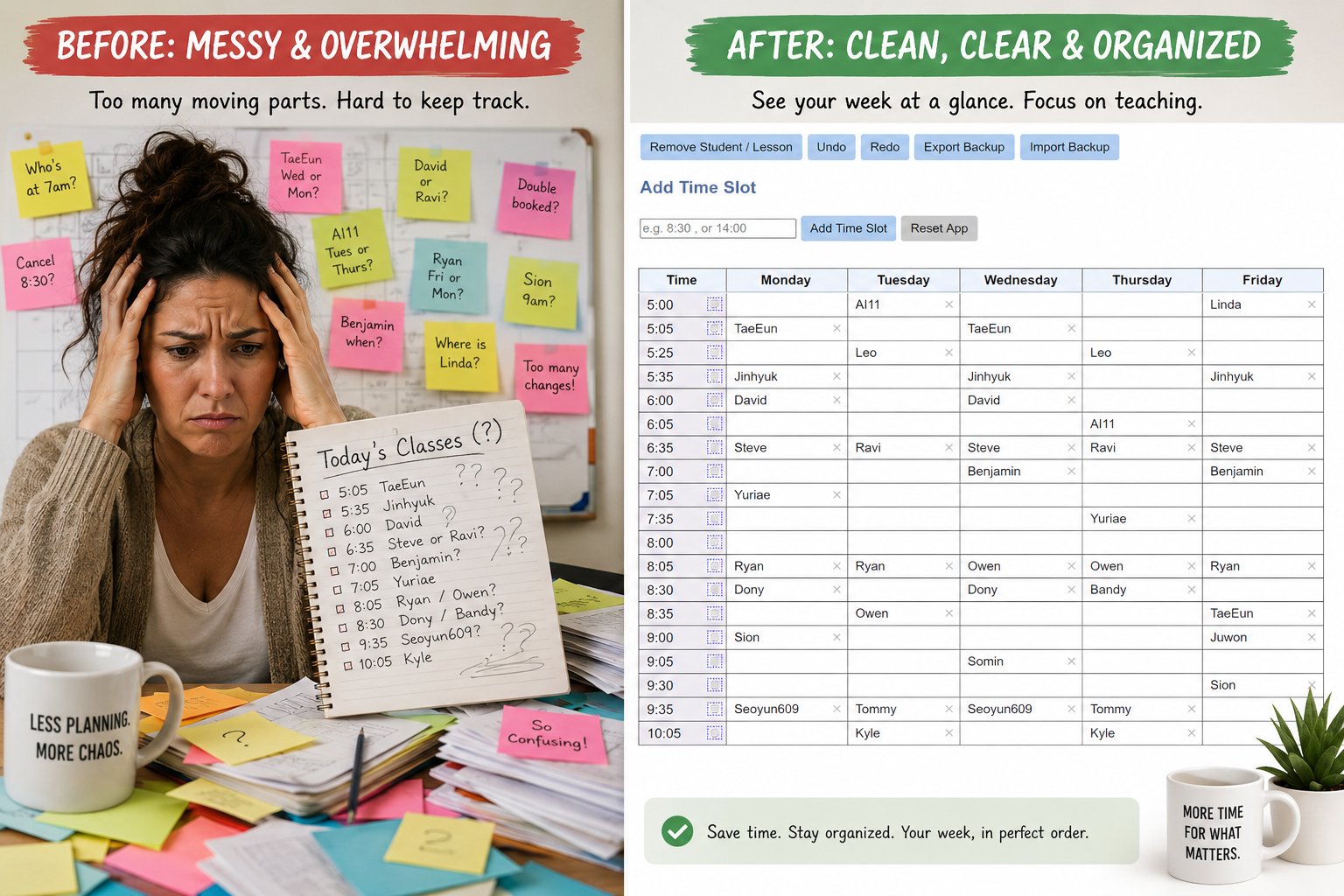
This weekly class schedule maker is designed for teachers who need a simple way to create class schedule and manage recurring lessons without using complex online tools.
This scheduling tool works without logins, subscriptions, or cloud dependence.
- No accounts
- No monthly fees
- Works offline after activation
- Data stored locally on your PC
Start with the free version or upgrade to Pro when you need unlimited scheduling.
If you are new to structured weekly planning, read our guide on how to use a class schedule maker to plan your week.
- No accounts.
- No monthly fees.
- No cloud dependency.
If you want a simple way to plan recurring lessons each week, our time block schedule maker gives you a focused desktop workflow without the clutter of online scheduling platforms.
You can also read more here: Weekly Class Schedule Generator
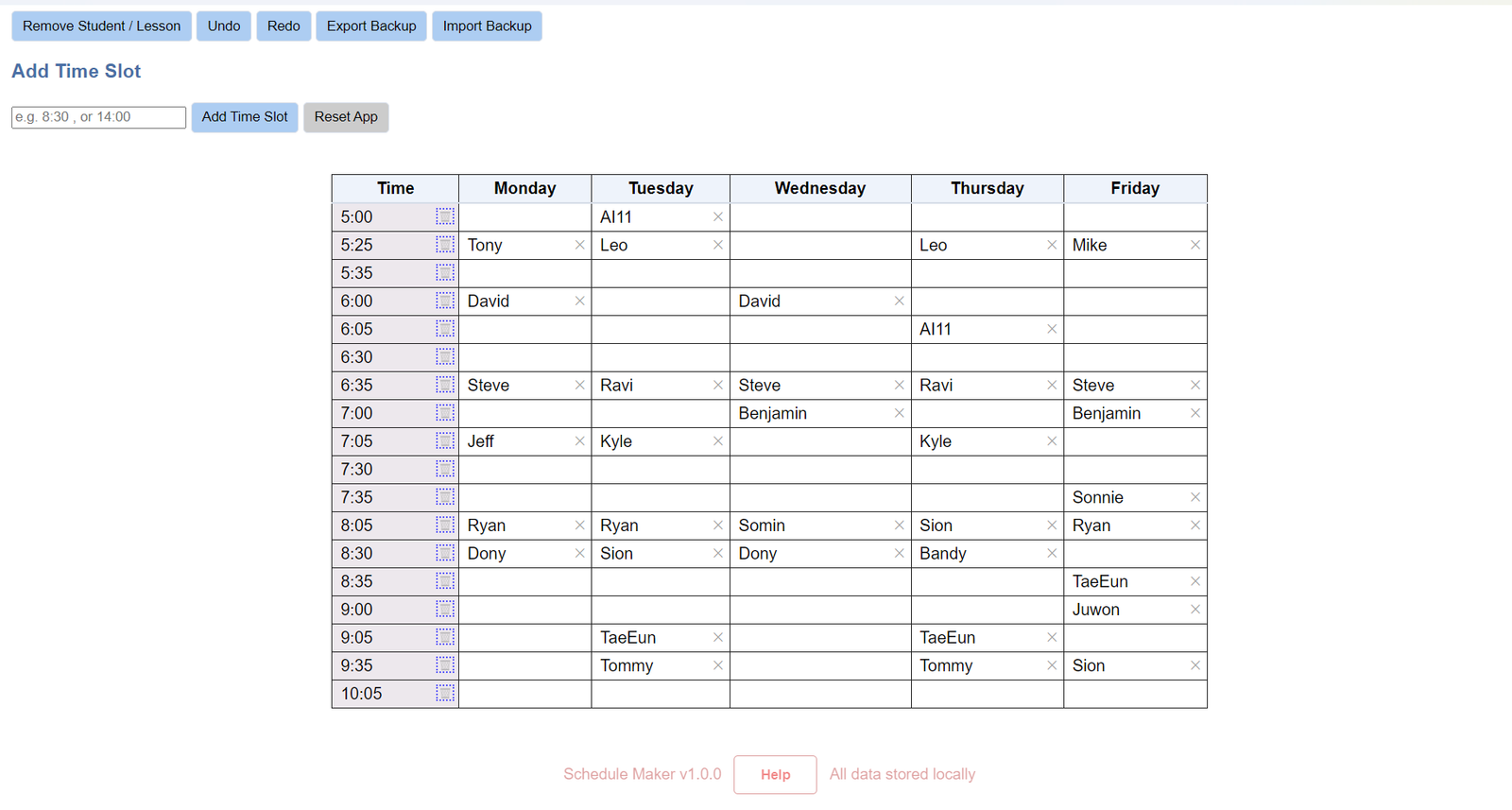
A Clean Weekly Schedule Designed for Recurring Lessons
ScheduleMaker’s clean weekly grid view helps teachers manage recurring lessons and students at a glance — completely offline on Windows. You’ll notice inside the app: all data is stored locally — no cloud sync required. It is a simple, easy-to-use, yet effective class schedule maker for teachers.
Built for Teachers Who Value Simplicity
Many scheduling tools are built for teams, shared calendars, or business workflows.
ScheduleMaker is different. It is built for teachers, tutors, and structured learners who need a clear weekly layout for recurring sessions.
It focuses on what matters most:
- Clear weekly grid view
- Fast recurring lesson entry
- Visual time block organization
- Easy schedule adjustments
- Local data storage
If you want a deeper comparison, read: Best Class Schedule Maker for Teachers
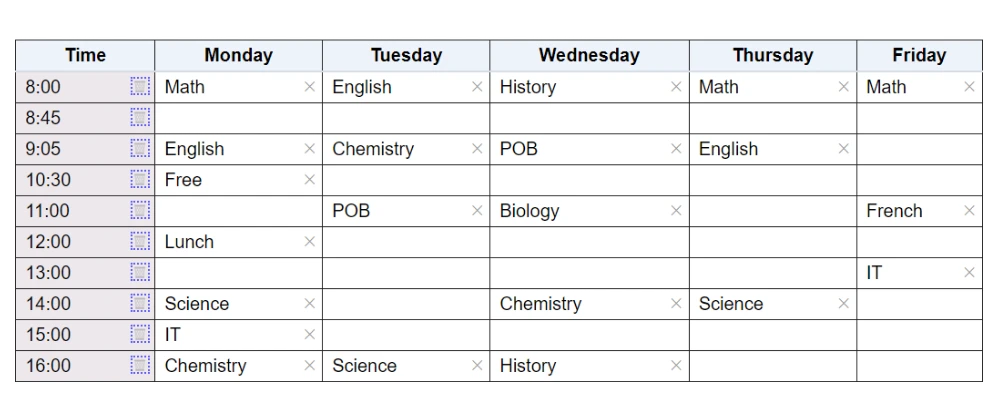
You need a clean, visual weekly structure that simply works.
A True Offline Class Weekly Schedule Maker
Unlike most schedule generators, ScheduleMaker is offline-first. This weekly schedule maker is specifically designed with simplicity and ease of use to help you manage and organize your weekly classes.
After activation, it works completely without internet access.
That means:
- No login required
- No cloud storage
- No subscription renewals
- No downtime due to server issues
- Work without internet
- Full control over your schedule
A class schedule generator where your weekly class structure lives directly on your Windows computer — where you control it all.
Designed for Recurring Weekly Lessons
ScheduleMaker is a Windows desktop weekly class schedule maker designed specifically for:
- Private tutors
- Independent teachers
- Educational instructors
- Coaches
- Structured learners
If you manage repeating weekly sessions, you need a weekly program maker that allows you to see your entire week at a glance.
ScheduleMaker’s visual weekly schedule grid helps you:
- Organize students by time block
- Prevent overlapping confusion
- Quickly adjust recurring entries
- Keep your weekly structure consistent
ScheduleMaker is not trying to be an all-purpose team calendar or enterprise platform.
It is a focused weekly scheduling tool for educators who want clarity, speed, and control.
Need unlimited time slots and full functionality? Buy the Pro version here.
Your weekly class schedule lives on your machine.
For teachers working in classrooms, home offices, or areas with unstable internet, this matters.
One-Time Purchase — No Recurring Costs
Many scheduling tools rely on monthly subscriptions or account-based pricing.
ScheduleMaker keeps it simple.
Buy Pro once and keep using it without recurring fees.
There are:
- No monthly fees
- No annual renewals
- No hidden upgrade tiers
- No feature gating behind accounts
For independent educators, predictability matters.
A Clean Weekly Structure Designed for Recurring Classes
ScheduleMaker centers around a structured weekly grid. Simple, fast, reliable, No browser tabs, and no unnecessary complexities
Users can:
- Enter recurring weekly time blocks
- Assign students or sessions
- View the entire week visually
- Adjust entries instantly
- Backup and restore schedule for pro users
There’s no clutter competing for attention.
The interface is built for clarity. Learn how to create a class schedule for multiple students.
Local Data Ownership
Your schedule is yours.
All data is stored locally on your machine.
No remote databases.
No tracking.
No data tied to an account.
No external storage.
This is especially important for educators handling student information.
Privacy is built in.
Free Version vs Pro Version
ScheduleMaker gives you a simple way to try the app before upgrading.
Free Version
- Up to 6 time slots
- Export backup
- Good for testing the workflow
Pro Version
- Unlimited time slots
- Import and export
- Advanced features
- One-time purchase
- All future upgrades are free
Start with the free version here: Download ScheduleMaker
Upgrade when you are ready: Buy Pro
Simple Activation — No Accounts Required
The license model is intentionally simple:
- Device-based activation
- Internet required once
- Works offline afterward
- No usernames or passwords
This dramatically reduces setup friction.
Non-technical users can activate and start using the app within minutes.
Who Should Use an Offline Class Weekly Schedule Maker?
ScheduleMaker is ideal if you:
- Teach recurring weekly lessons
- Manage multiple students
- Need visual time-block clarity
- Prefer desktop software
- Dislike subscription SaaS tools
- Want full control over your data

It works especially well for tutors handling 10–30 recurring sessions per week. Of course, if you do more students,
it's still not a problem.
It's also worth noting here that the time slots can be populated with students or lessons, whichever suits your needs.
Whether you teach in a classroom or online, you can easily create class schedules with this time-block schedule maker.
Schedule Template vs Schedule Generator
Many educators start with:
- Excel sheets
- Printable weekly schedule templates
- Canva-style layout tools
Templates require manual editing.
They become messy over time.
They don’t scale easily when student numbers grow.
A dedicated weekly class schedule generator:
- Structures your week automatically
- Reduces repetitive setup
- Makes editing fast
- Provides better visual organization
And when that generator runs offline as a desktop app, it removes even more friction.
Here's an atricle clearly explaining Schedule Template vs Schedule Generator
Why Offline Scheduling Is Making a Comeback
There is growing fatigue around:
- Subscription overload
- Cloud dependency
- Account complexity
- Overbuilt SaaS dashboards
For individual professionals — especially educators — simpler tools are often more powerful.
A focused desktop application:
- Launches faster
- Performs consistently
- Stays distraction-free
- Avoids unnecessary feature creep
ScheduleMaker embraces that philosophy.
ScheduleMaker embraces that philosophy.
ScheduleMaker is not:
- A collaboration suite
- A shared calendar platform
- A CRM
- A team management dashboard
It is a focused weekly planning tool designed for structured educational scheduling.
That focus is what makes it efficient.
What You Gain
With ScheduleMaker, you get:
- Unlimited time slot creation
- A visual weekly class schedule maker
- Clean student/session entry
- Undo/redo support
- Recurring weekly scheduling
- Local-first reliability
- Simple Pro unlock
- All future upgrades
- No cloud dependency
- Export and import schedules
Everything you need.
Nothing you don’t.
Frequently Asked Questions
Does ScheduleMaker work without internet?
Yes. After activation, ScheduleMaker works completely offline. No internet connection is required to create or manage your weekly class schedule.
Do I need to create an account?
No. ScheduleMaker does not require any account, login, or cloud setup. Everything runs locally on your computer.
Is ScheduleMaker a subscription?
No. ScheduleMaker uses a one-time purchase model. You pay once and unlock Pro features permanently.
Can I use it for multiple students?
Yes. ScheduleMaker is designed for teachers and tutors managing multiple students and recurring weekly lessons.
Where is my data stored?
All data is stored locally on your computer. There is no cloud storage or external tracking.
Ready for unlimited scheduling? Buy the Pro version.
Final Thoughts
If you’re searching for a class weekly schedule maker, you don’t need complexity.
You need:
- Clarity.
- Control.
- Reliability
- No subscription pressure.
ScheduleMaker was built specifically for educators who want a streamlined desktop solution to manage weekly lessons — without logins, cloud storage, or unnecessary overhead.
If you value simplicity and ownership, an offline Windows scheduling app may be exactly what you’ve been looking for.